
Free app · No sign-up
Hearing Diary
The app that follows you from the hearing aid trial period into everyday life. Note how you feel in a few seconds and share your diary with your hearing care professional: together you’ll find the right setting more easily.
Why a hearing diary?
The first weeks with hearing aids are full of discoveries: forgotten sounds, situations that get easier and others that are still tiring. By the time of your appointment, though, many details are already forgotten. With the Hearing Diary you note every day how it went, and your hearing care professional gets a clear, concrete picture to fit the hearing aids to you.
⏱️ In 5 seconds
Pick a face and tap “Save entry”: the day is recorded. When you have more time, add a note.
📄 PDF for your professional
With one tap you create a PDF of the whole diary and email it to your hearing care professional.
🔒 Data stays on your phone
No account, no server: your entries stay on your device. It works without internet too.
Install it on your phone
No App Store needed: the Hearing Diary opens in your browser and can be added to your home screen like a normal app.
iPhone
- Open gpreo.com/diarioudito in Safari.
- Tap the Share button (the square with the arrow pointing up).
- Choose “Add to Home Screen” and then Add.
Android
- Open gpreo.com/diarioudito in Chrome.
- Tap the menu ⋮ at the top right.
- Choose “Install app” or “Add to Home screen”.
With the QR code

Scan the code with your phone camera to open the app right away.
How it works, step by step
At the top you’ll always find the menu with the five sections, at the bottom the app name and the language choice (Italian, German, English).
1 · Home
Describe your day
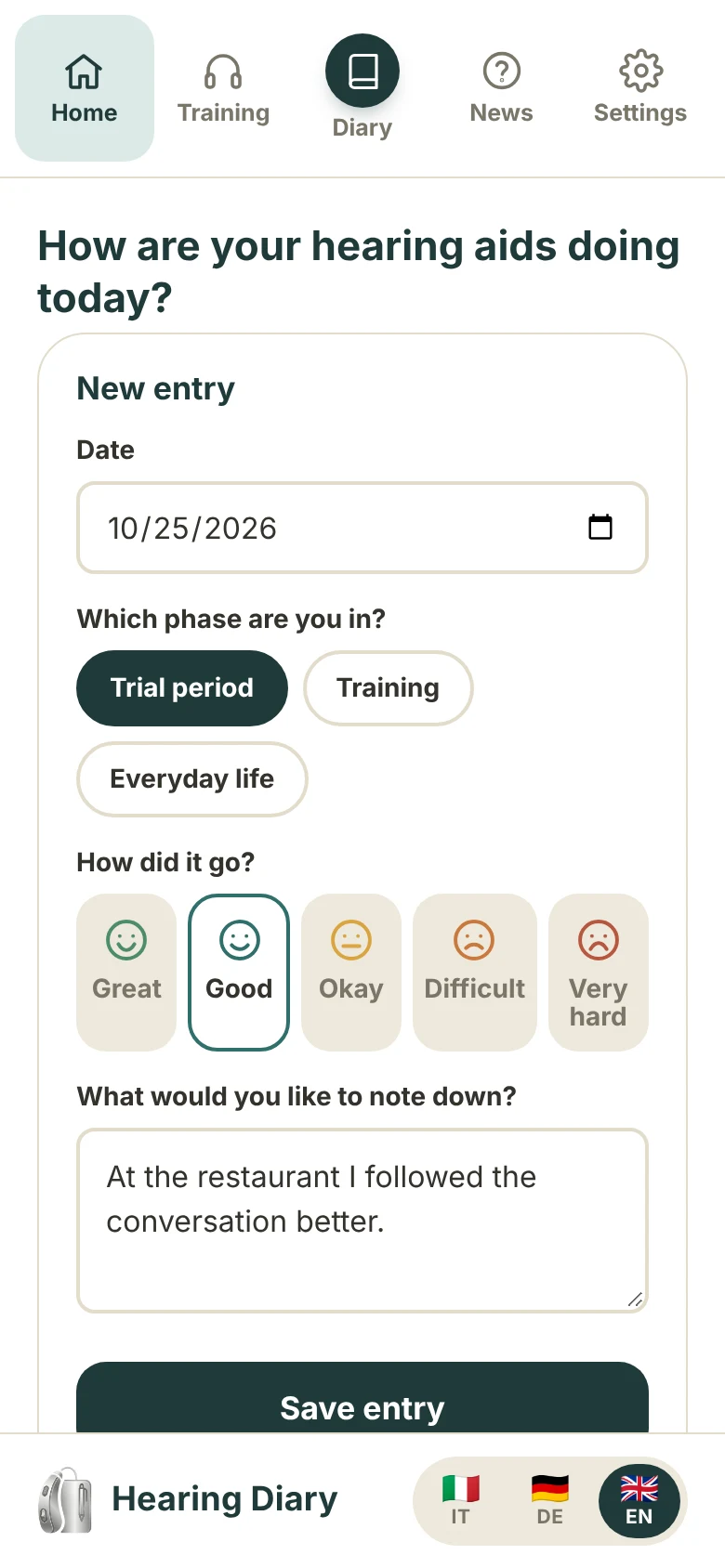
The Home screen is the New entry form: choose the date, the phase you’re in (Trial period, Training or Everyday life) and, with one of the five faces, how it went, from Great to Very hard. If you like, write a note. Then tap Save entry: the day is saved and a confirmation appears.
Below you’ll see your journey (number of entries, days of use and days in a row) and your next appointment: enter the date and time and the app will remind you every time you open it.
What to note? Concrete situations help most: the restaurant with background noise, phone calls, the TV, your own voice, sounds that are too loud or metallic, but also the good moments, like hearing the birds again.
2 · Training
Train your listening: 8 weeks, about 15 minutes a day
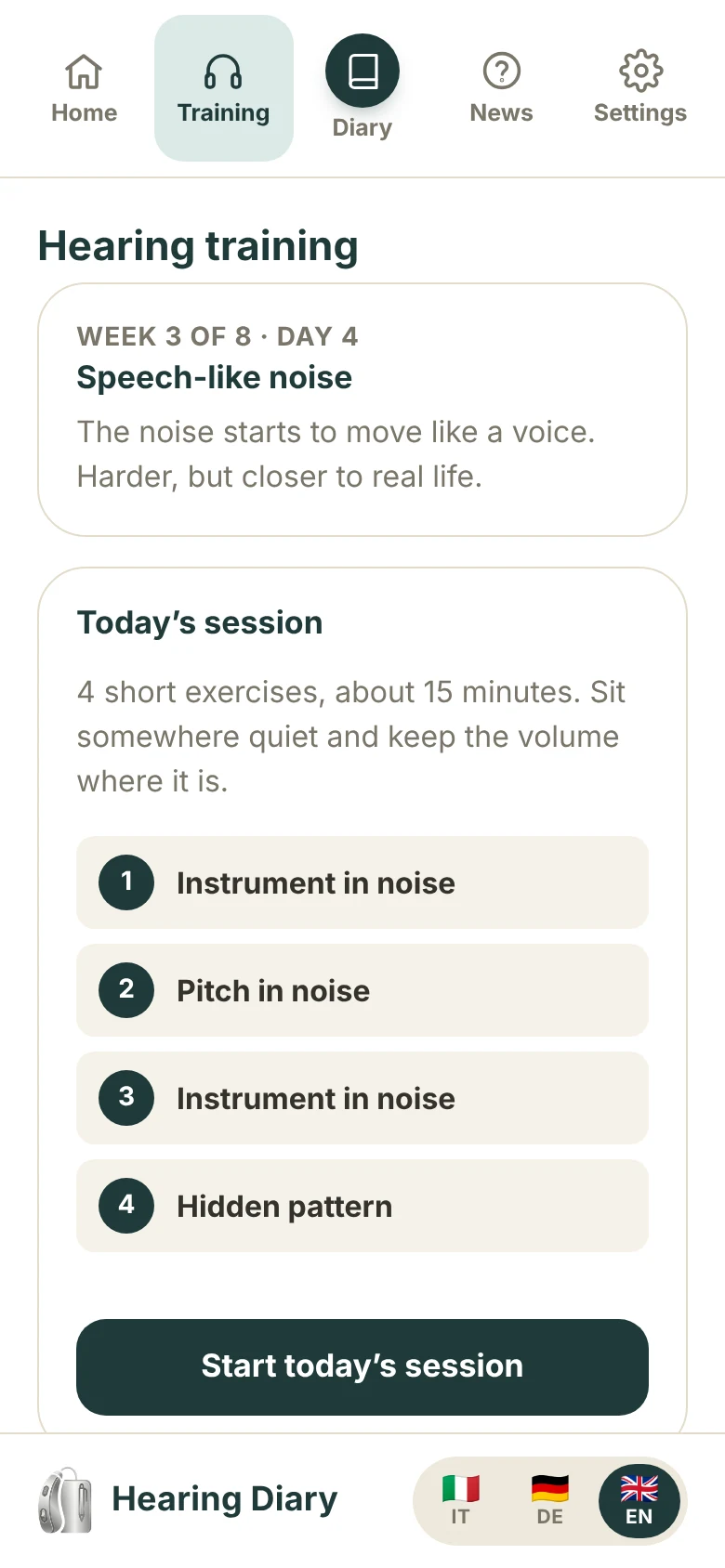
The Training section is a guided 8-week programme to practise listening with your hearing aids. At the top you see which week and day you’re on; below it is today’s session, made of short exercises.
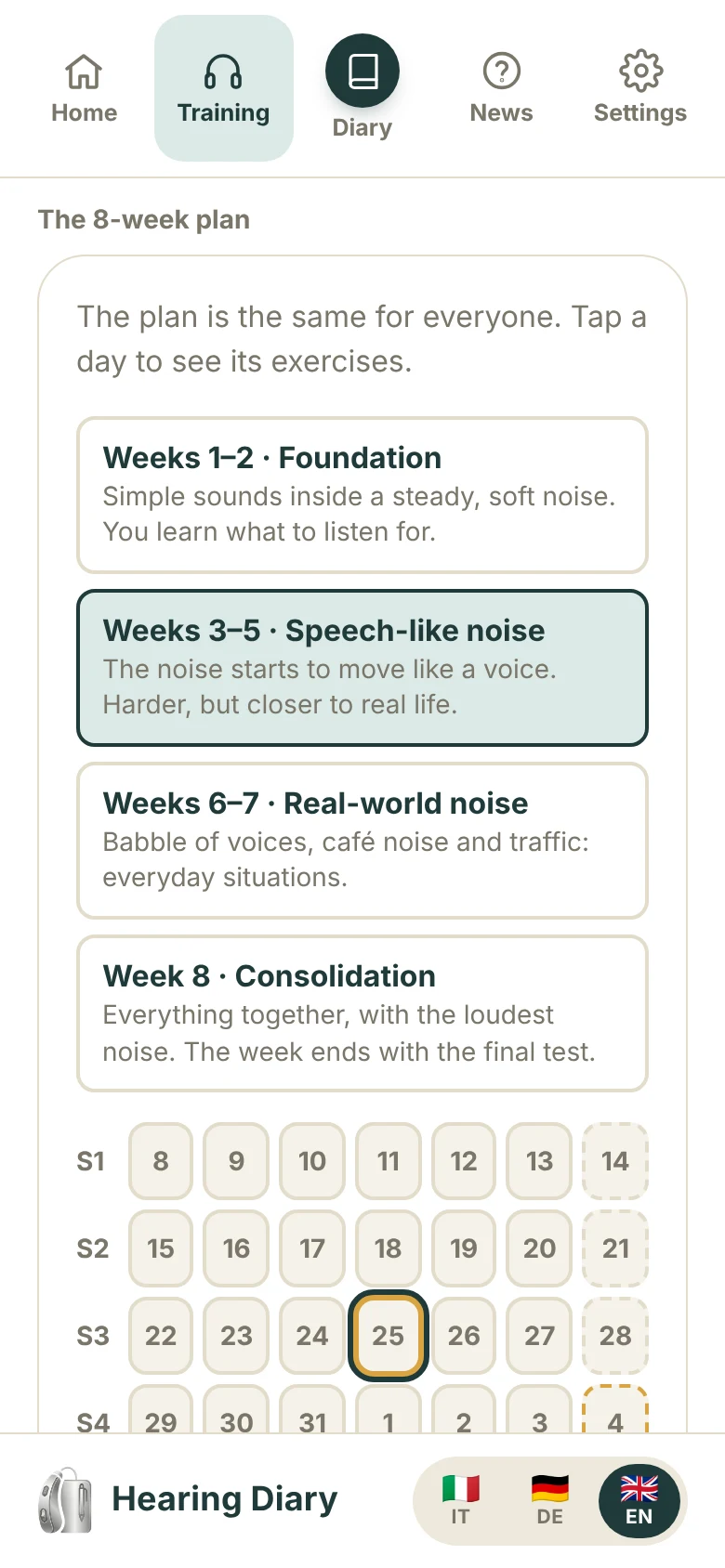
The programme is the same for everyone and gets gradually harder: it starts with simple sounds inside a steady, soft noise, then the noise begins to move like a voice, and finally come babble, café noise and traffic. The exercises are generated right on your phone.
Tap Start today’s session and follow the instructions. If you skip a day, just carry on with the next one.
The conversations with noise are currently available in Italian only; the English version has the exercises without the conversation.
Training · first start
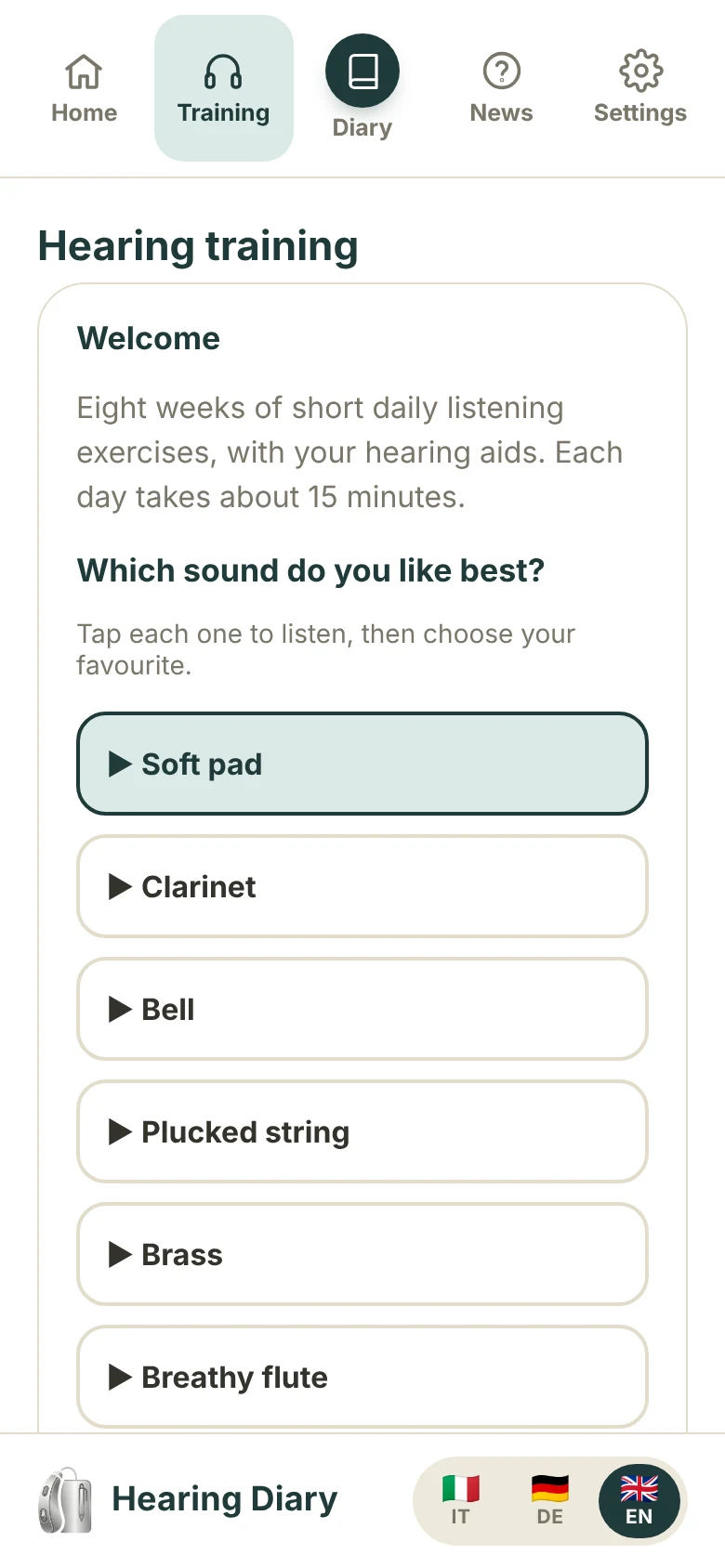
The first start: a short set-up
The first time, the app guides you through a short set-up: you pick the sound you like best (the exercises use it), name up to three situations where you’d like to hear better, read how to sit, and check that the noise is clear and comfortable, not loud. Then you take a first test of about 5 minutes, which sets your starting point; the programme begins that day.
How to sit:
- Sit about 1 metre from the device, facing it, with the device at ear height.
- Wear your hearing aids on their normal program.
- Quiet room: TV off, window closed.
- Do not change the volume of the device during the programme.
Training · the session
A session, step by step
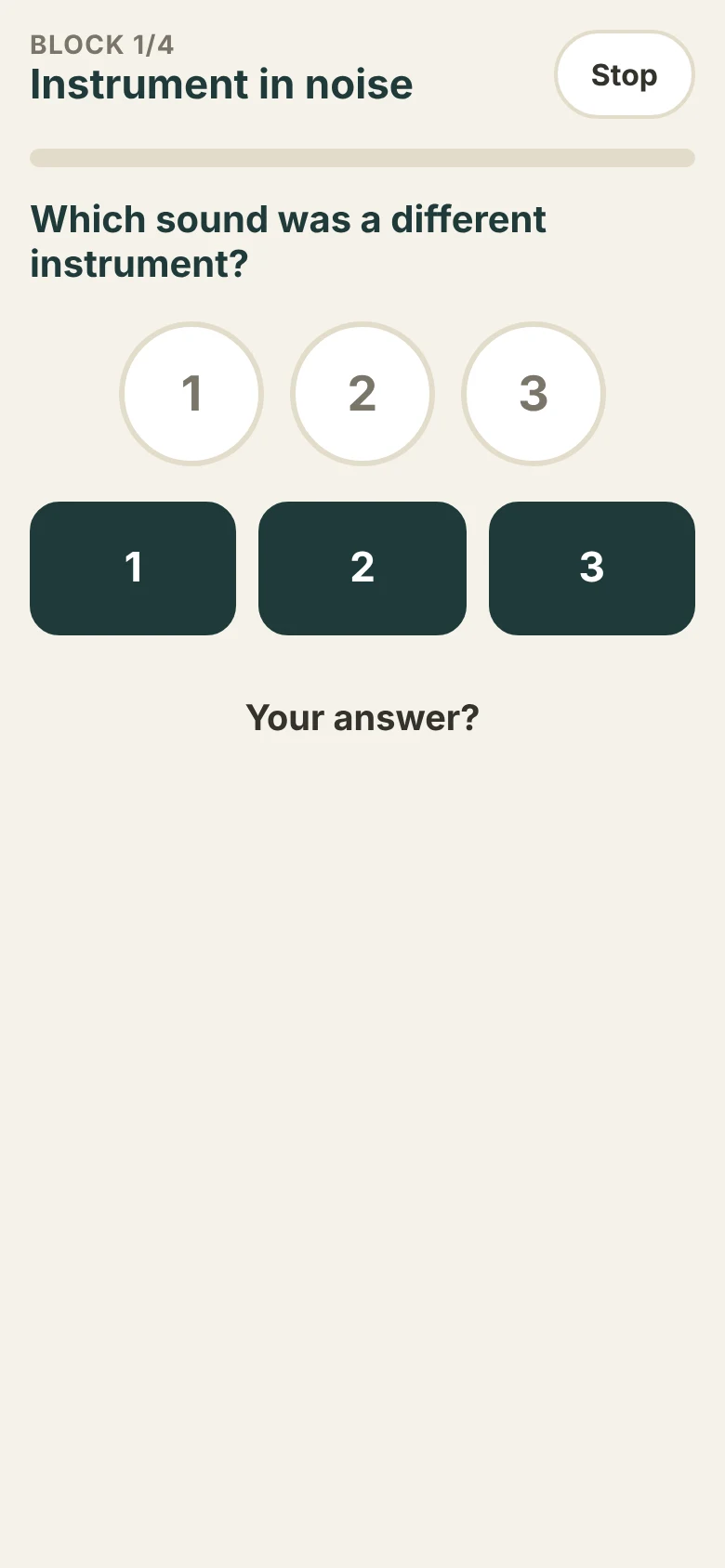
Each session is made of several short blocks (on screen: “Block 1/5”). After listening you answer with the 1, 2 or 3 buttons or with the answers on screen, for example “Which sound was a different instrument?”. At the end of each block you see how it went compared with last time.
The first block is always the same (“Instrument in noise”): it lets you compare your progress over time. A harder day than another is normal.
Training · the plan
The 8-week plan
On the plan page you see the four phases (Foundation, Speech-like noise, Real-world noise, Consolidation) and a 56-day calendar. Tap a day to see its exercises.
Once a week there is a rest day without exercises, when you rate how you manage in the situations that matter to you. At the end of the fourth and the eighth week there is a short check-in test of about 5 minutes.
Training · progress
Your progress
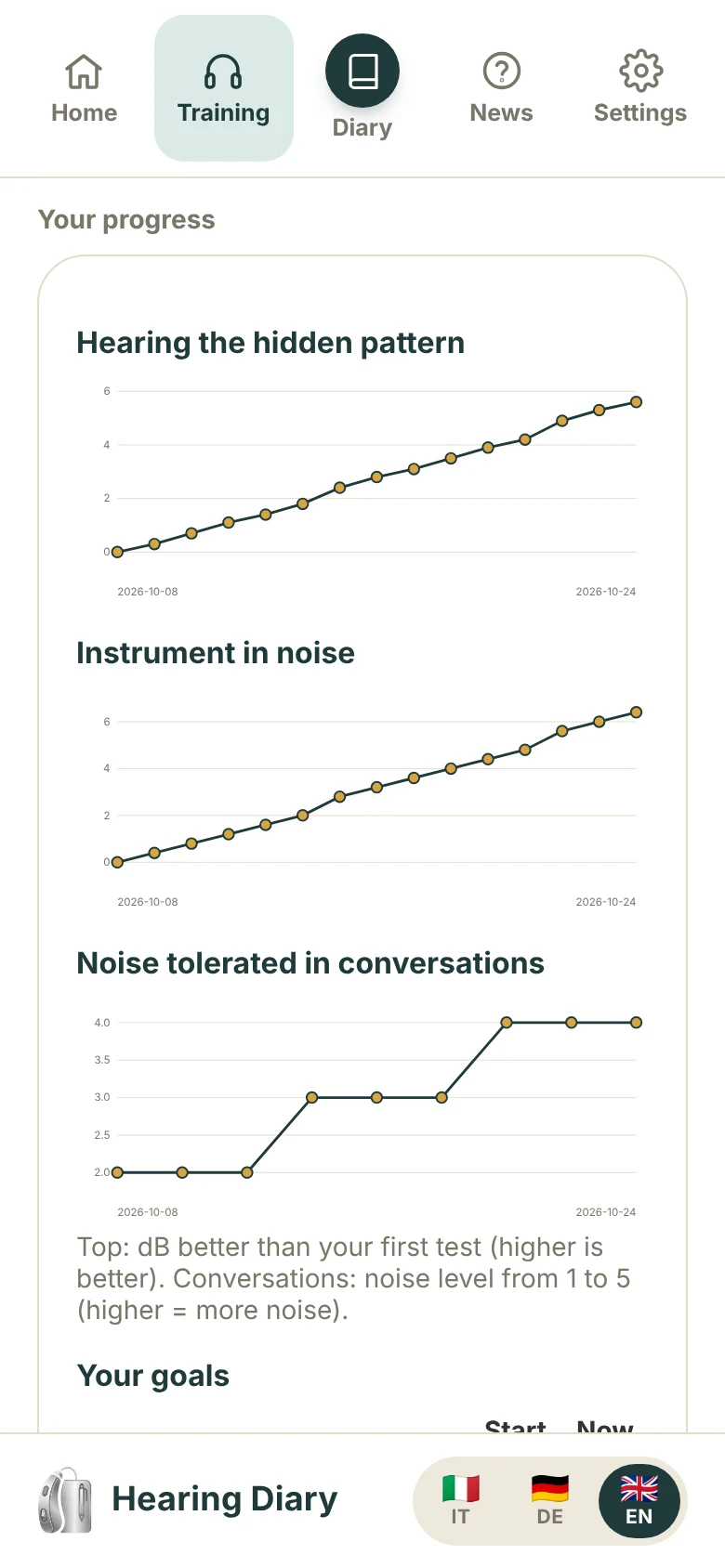
Scroll down in the Training section to find charts of your progress: how well you hear the hidden pattern and the instrument in noise, plus a table of your goals (at the start and now). The charts mainly show the trend over time: a worse day is normal.
The programme does not replace the work with your hearing care professional: the results help you talk about it together. If anything feels uncomfortable, talk to them.
3 · Diary
All your days at a glance
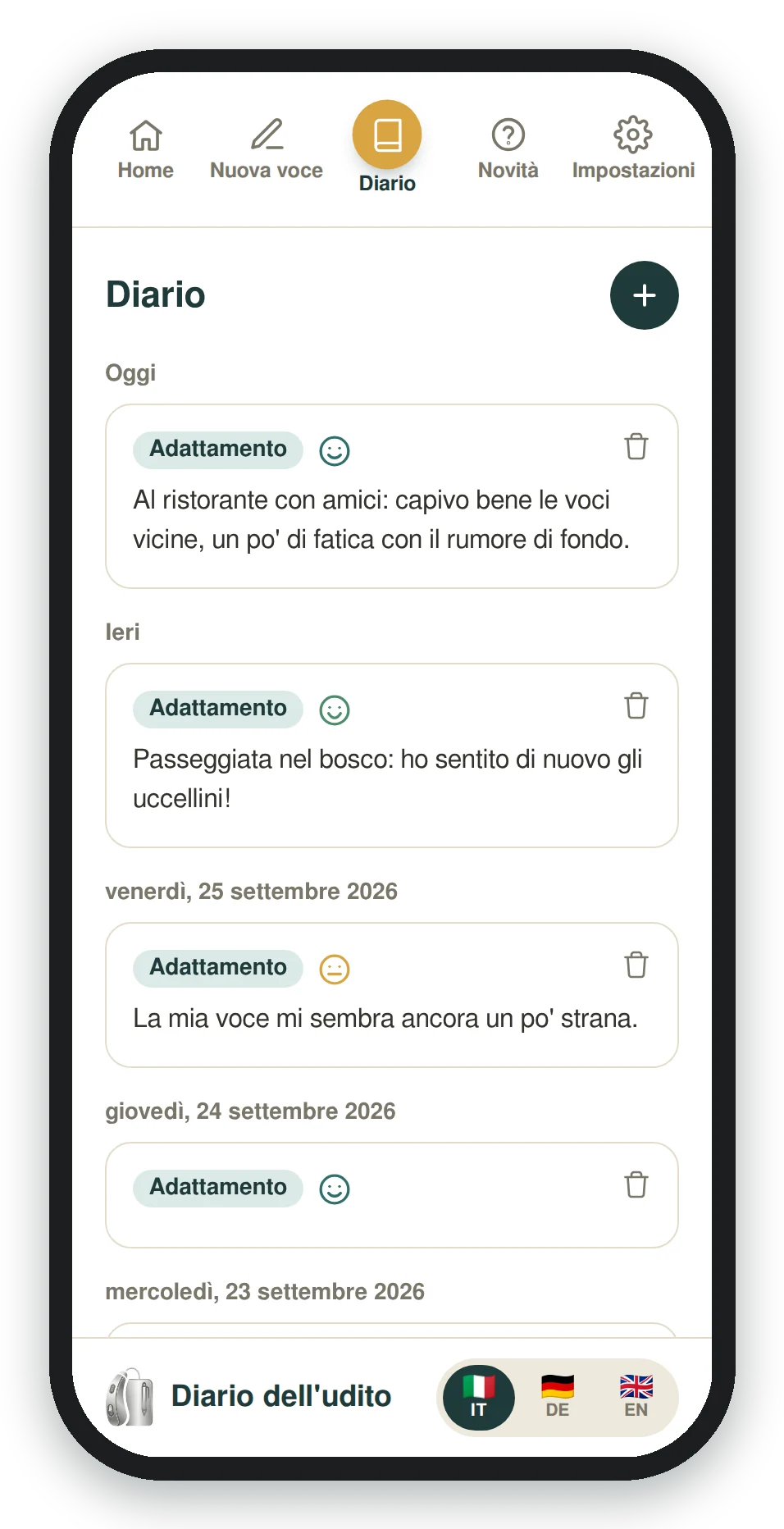
The round button in the middle of the menu opens the Diary: all entries sorted by date, with phase, face and note. The + button adds a new entry, the bin deletes one.
4 · Settings
Send the diary to your hearing care professional
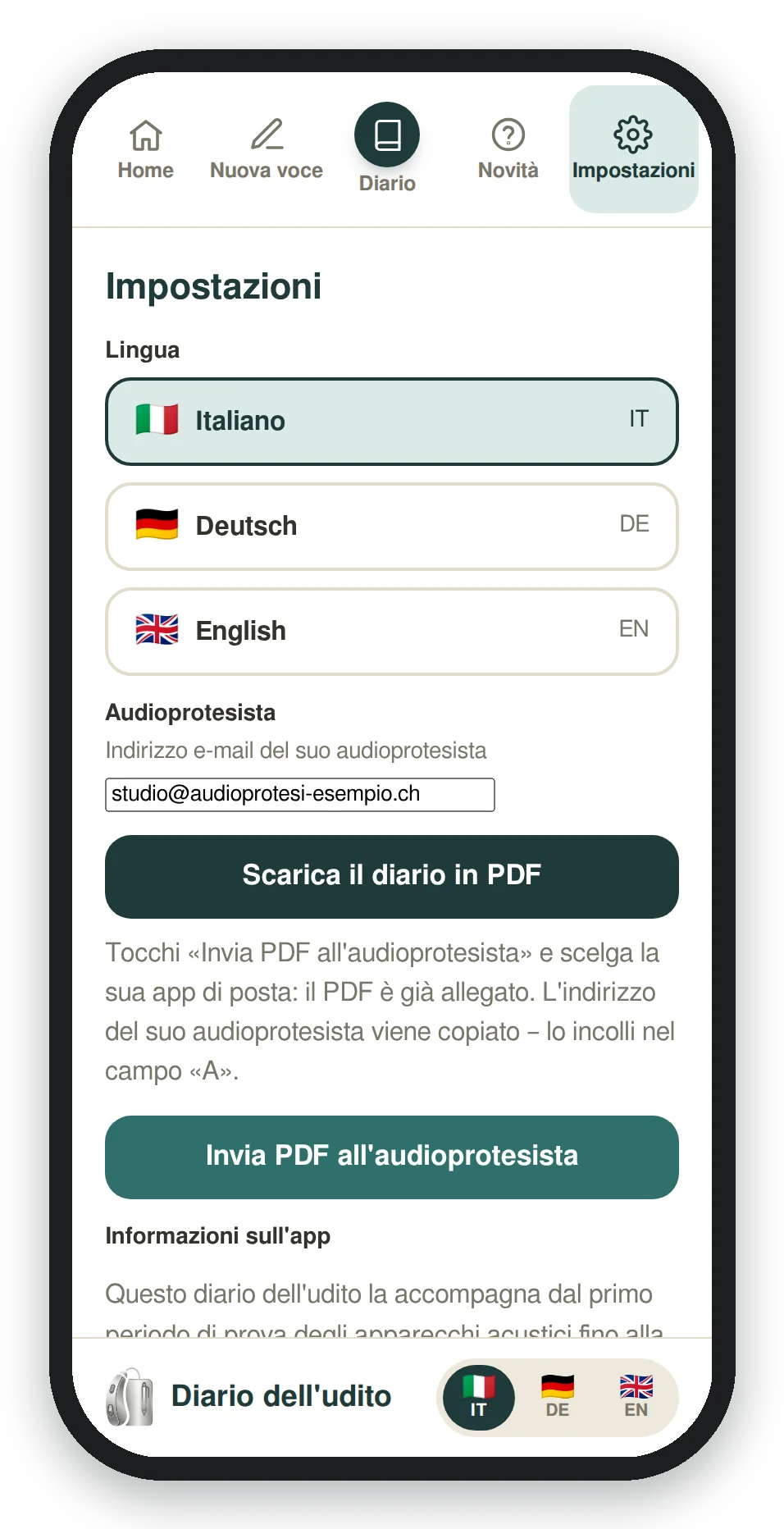
- In Settings enter your hearing care professional’s email address (you only do this once).
- Tap “Send PDF to hearing care professional”: the app creates the diary PDF and opens your phone’s share menu.
- Choose your mail app: the PDF is already attached. Your professional’s address has been copied: paste it into the “To” field and send.
With “Download diary as PDF” you can also save or print it. After the diary entries, the PDF also contains a Hearing training page with a summary of the programme (it appears after the first test). This is also where you change the language and find the support contact.
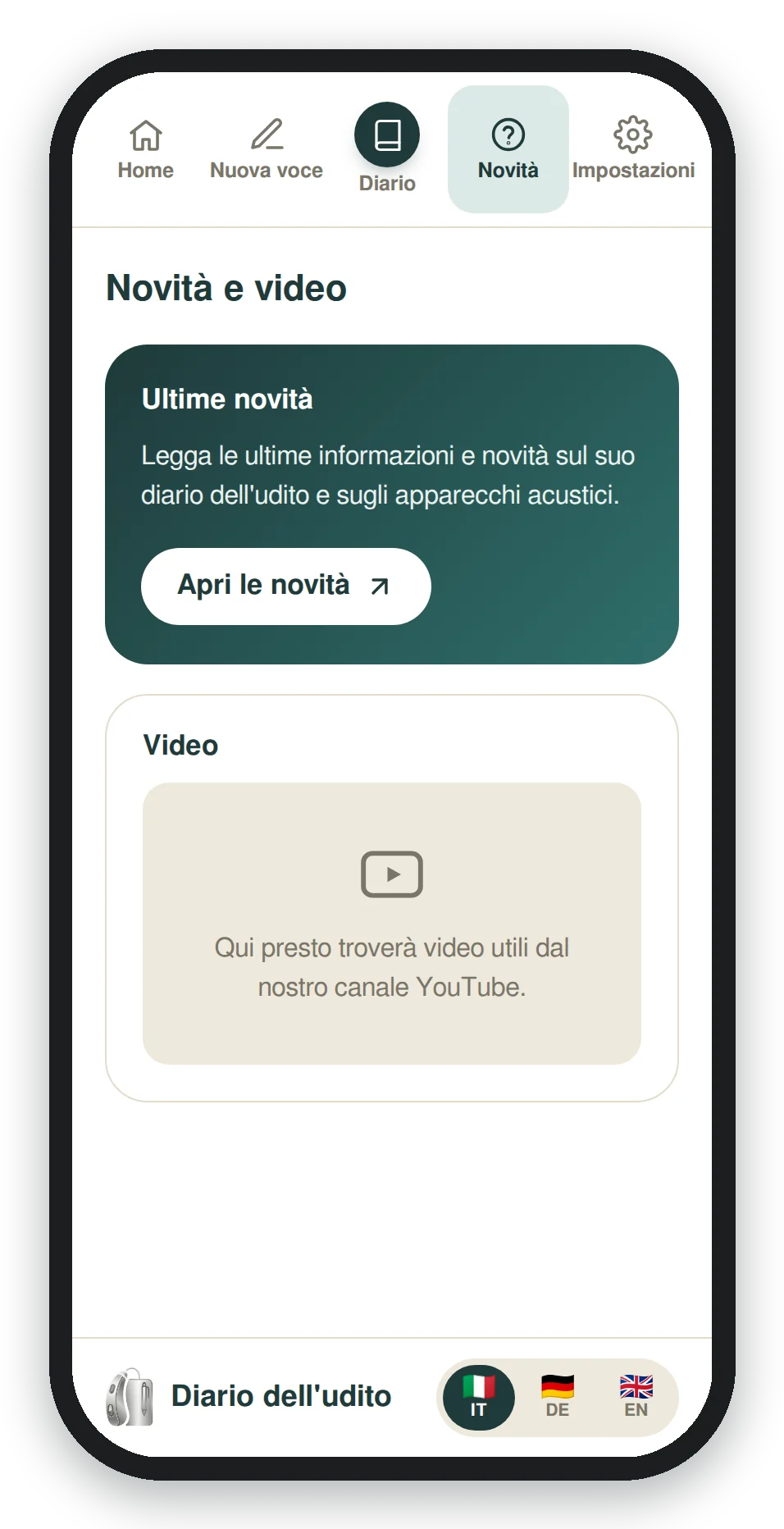
5 · News
News and helpful videos
In News you’ll find the latest information from the world of hearing aids and, soon, short videos with practical tips.
Frequently asked questions
How much does it cost?
Nothing. The app is free, with no ads and no sign-up. If you find it useful, you can support the project with a donation (see below).
Where is my data stored?
Only on your phone. Entries are not sent to any server. You send the PDF yourself, from your own email address, only to whoever you choose.
Does it work without internet?
Yes. After the first launch the app also works offline. You only need a connection to send the email.
What happens if I change phone or clear my browser data?
Entries are tied to the phone and browser you wrote them in. If you clear the browser’s “site data” or change phone, the entries are not transferred. Download the diary as a PDF first to keep it.
Why isn’t it in the App Store?
It’s a web app: it opens in your browser and installs on your home screen in seconds, with no App Store download. It updates itself.
How long does the training take, and do I have to do it every day?
The programme lasts 8 weeks, about 15 minutes a day, with one rest day a week. If you skip a day, just carry on with the next one.
How should I listen to the exercises?
Sit about 1 metre from your phone or tablet, facing it, with the device at ear height. Wear your hearing aids on their normal program, in a quiet room (TV off, window closed), and do not change the volume during the programme.
Does the training replace the adjustment by my hearing care professional?
No. The training is for practising listening with your hearing aids; adjusting the hearing aids remains your hearing care professional’s job. The results go into the PDF you send them, so you can look at them together.
Does the training work without internet?
The exercises are generated on your phone and also work offline. For the conversations (audio files) you need an internet connection. Like the diary, the results stay only on your phone.
I need help. Who can I contact?
Write to me at support@gpreo.com or use “Contact support” in the app settings.
Like the app? Support the project 💛
The Hearing Diary is a personal project, free and ad-free. If it has helped you, a small donation helps me maintain and improve it. Thank you so much!
PayPal
With a PayPal account or credit card.
TWINT
Send your donation to the number:
+41 78 263 27 79
Open the TWINT app, choose “Send” and enter the number above. Thank you!