
Free app · No sign-up
TinniAPP
Soothing sounds, breathing exercises and a personal diary for people living with tinnitus, the ringing or buzzing in the ears. It opens in your browser, installs on your phone and works offline too.
Why an app for tinnitus?
Tinnitus stands out most in silence: in the evening, before sleep, in a quiet room. A soft background sound reduces that contrast and helps the brain pay less attention to it. TinniAPP brings together sounds, relaxation and a diary, so you can find out what helps you and talk about it with your doctor or hearing care professional.
🎧 Sounds generated live
White, pink and brown noise, rain, ocean waves and wind. Mix them, set the volume and add a timer.
🌙 Breathing and relaxation
Two guided exercises: 3 minutes of calm breathing and a 10-minute evening wind-down, with the sound fading out gently.
🔒 Data stays on your phone
No account, no server: your diary and settings stay on your device. Works without internet too.
Install it on your phone
No App Store needed: TinniAPP opens in your browser and is added to your home screen like a normal app.
iPhone
- Open gpreo.com/tinniapp in Safari.
- Tap the Share button (the square with the arrow pointing up).
- Choose “Add to Home Screen”, then Add.
Android
- Open gpreo.com/tinniapp in Chrome.
- Tap Install in the app banner, or the ⋮ menu at the top right.
- Choose “Install app” or “Add to Home screen”.
With the QR code

Scan the code with your phone camera to open the app right away.
How it works, step by step
At the bottom you’ll find the menu with four sections: SoundGEN, Diary, Research and More. At the top you choose the language (Italian, German, English).
1 · SoundGEN
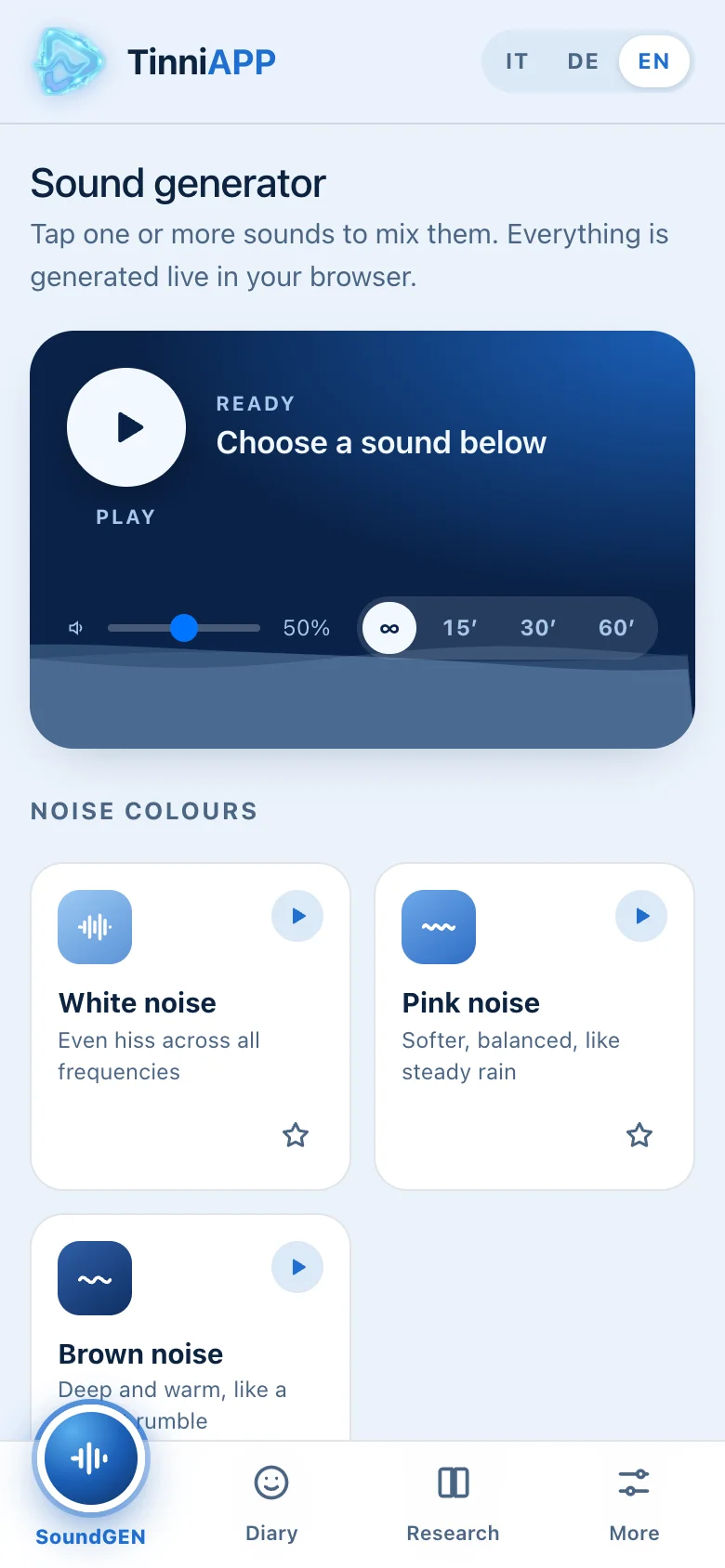
The sound generator
Tap one or more sounds to mix them: the noise colours (white, pink, brown) and the nature sounds (rain, ocean waves, wind). Each sound has its own volume, and the star adds it to your favourites.
In the player at the top you start or pause, set the overall volume and pick a timer of 15, 30 or 60 minutes: at the end the sound fades out.
Tip: set the volume just below your tinnitus, so you can still hear both. The goal is to soften the contrast, not to cover the tinnitus completely.
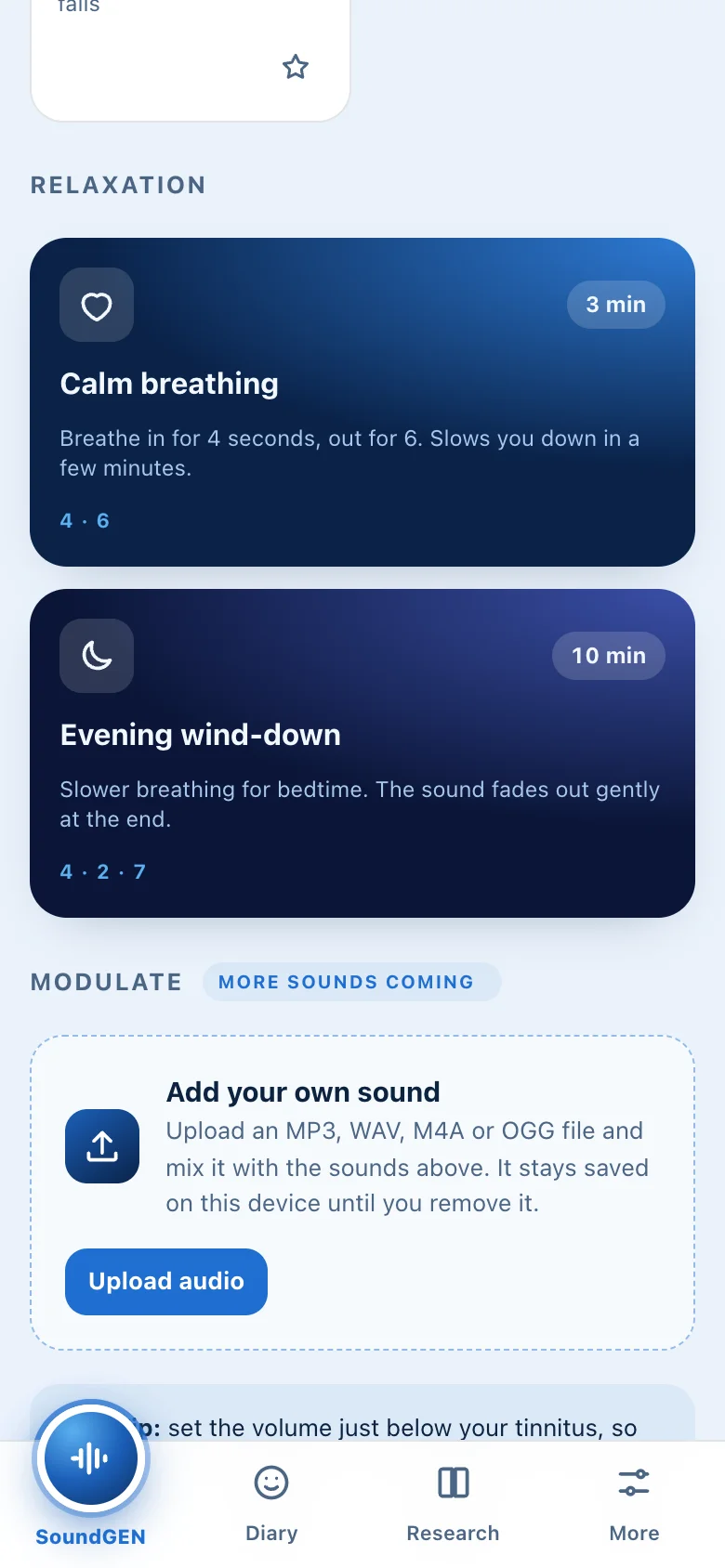
2 · Relaxation
Guided breathing and your own sounds
Calm breathing (3 minutes): breathe in for 4 seconds and out for 6, following the circle on screen. Evening wind-down (10 minutes): slower breathing for bedtime, and the sound fades out gently at the end.
With “Add your own sound” you upload an MP3, WAV, M4A or OGG file, for example a sound made for you, and mix it with the others. It stays saved on your phone until you remove it.
3 · Diary
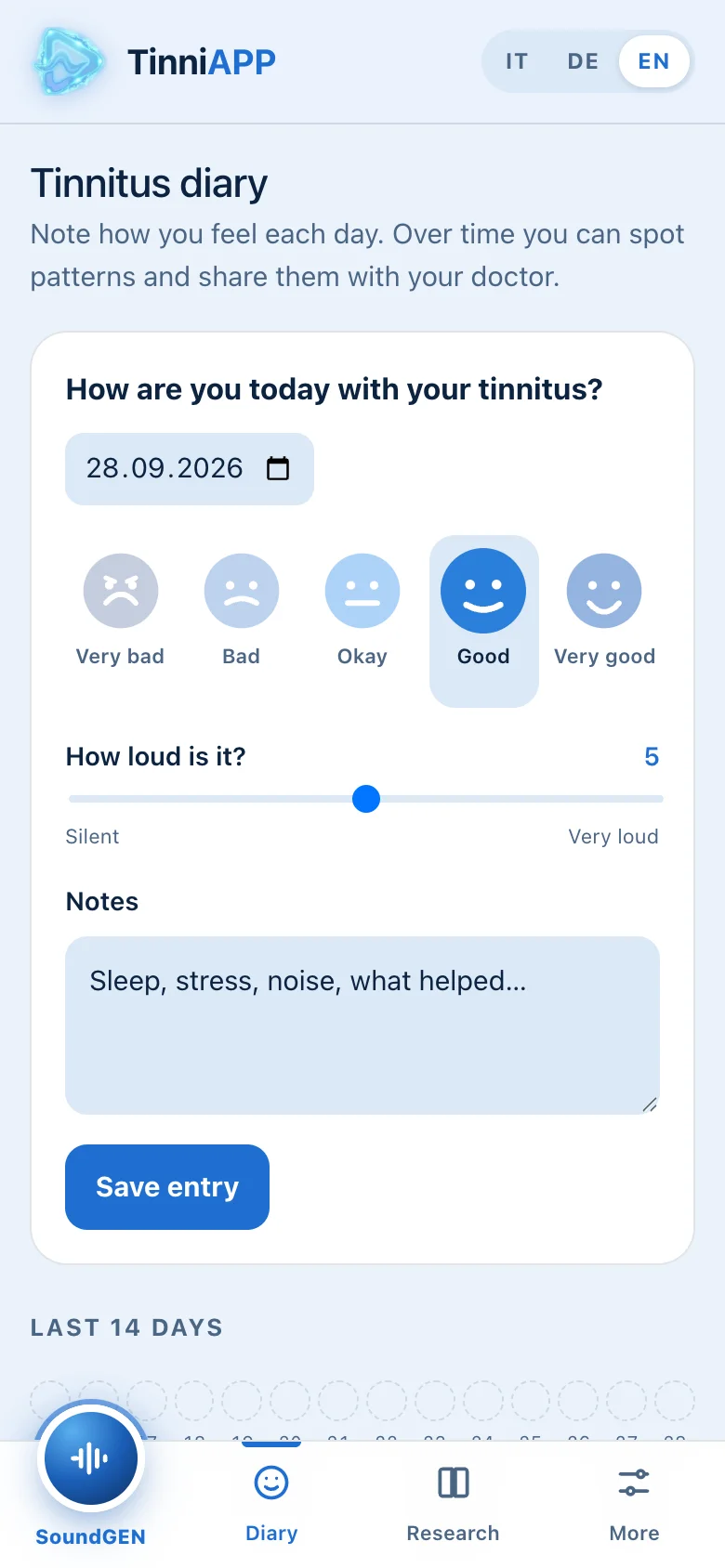
How is your tinnitus today?
Pick a face from Very bad to Very good, rate how loud your tinnitus is from 0 to 10 and, if you like, write a note: sleep, stress, noise, what helped. Then tap Save entry.
Below you see the last 14 days and all your entries. “Download as PDF” creates a summary to bring to your doctor or hearing care professional.
4 · Research
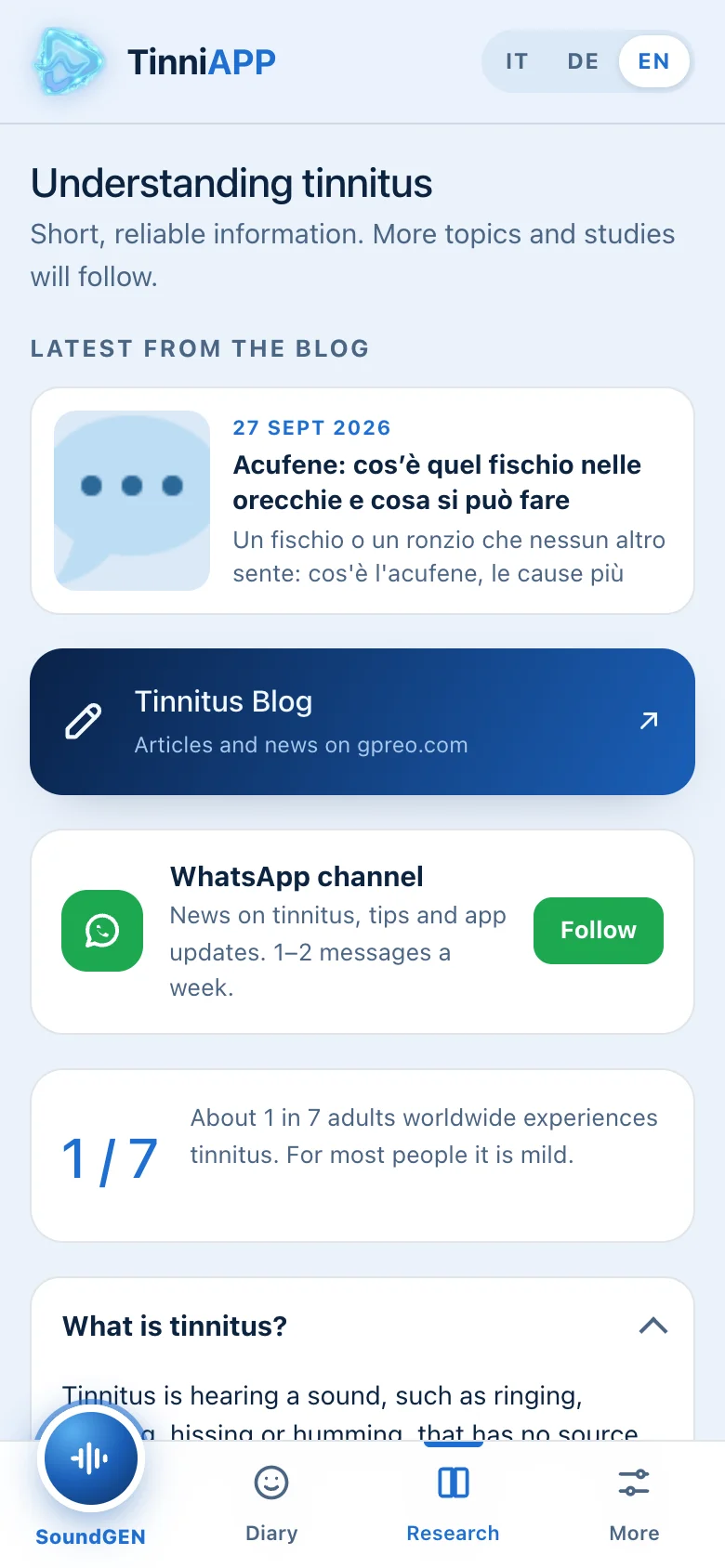
Understanding tinnitus
Short, reliable information: what tinnitus is, how sound therapy helps, what the evidence says, when to see a doctor and how to protect your hearing, with sources.
Here you’ll also find the latest posts from the blog and the WhatsApp channel, with 1–2 messages a week on tinnitus, tips and app updates.
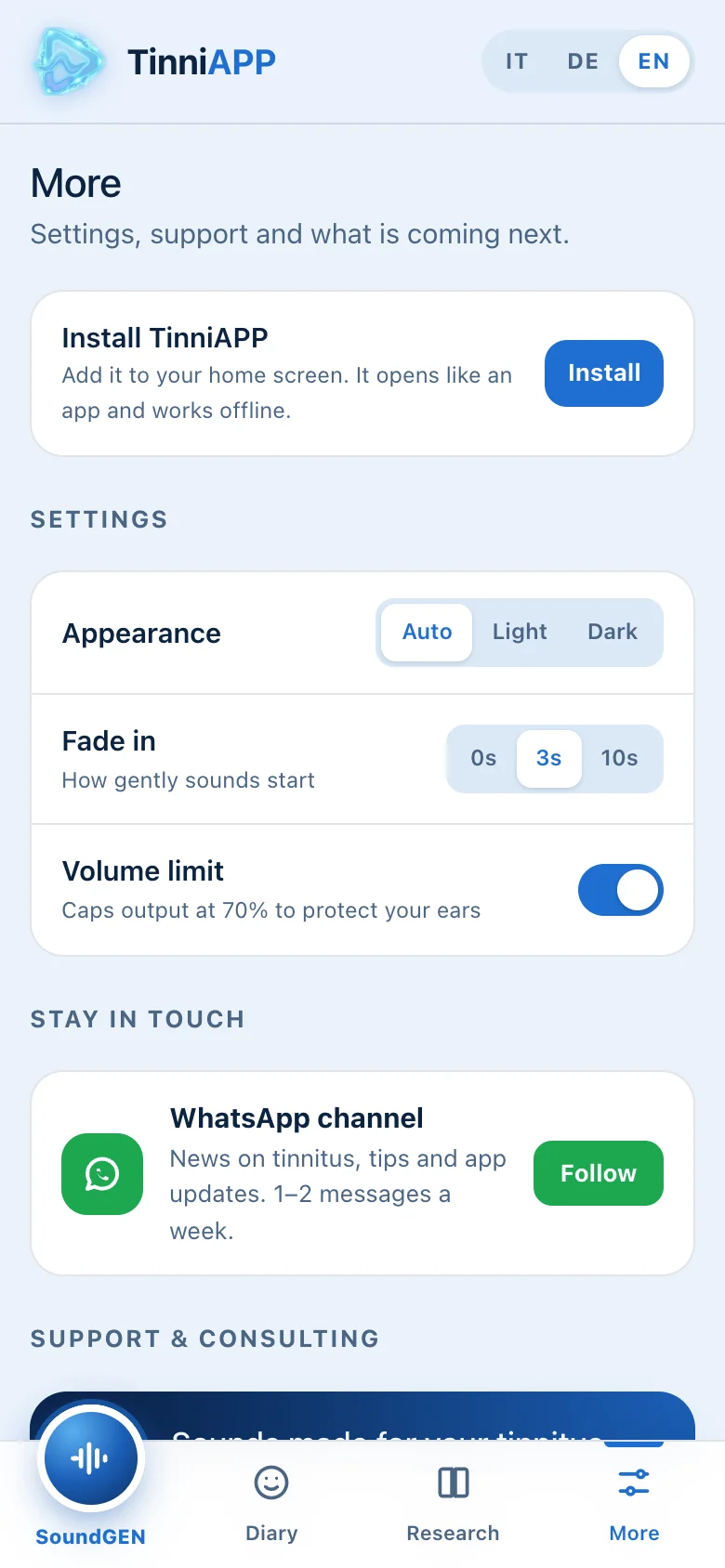
5 · More
Settings and support
Choose the appearance (light, dark or auto), how gently sounds start, and turn on the volume limit, which caps output at 70% to protect your ears.
Here you can also write to me with a question or for a custom sound for your tinnitus, and see what’s coming soon: tinnitus matching to find its pitch, and saved mixes.
A sound made for your tinnitus
Every tinnitus is different. As a hearing aid specialist and sound engineer, I can listen to your description and compose a custom sound that you use directly in the app. Write to me: where you hear it, what it sounds like and when it bothers you most.
Frequently asked questions
How much does it cost?
Nothing. The app is free, ad-free and needs no sign-up. If it helps you, you can support the project with a donation (see below).
Does the app cure tinnitus?
No. There is no single cure for tinnitus: sounds can bring relief and help you get used to it, especially in the evening and in quiet moments. TinniAPP does not replace a medical visit.
Where is my data stored?
Only on your phone. Your diary and settings are not sent to any server.
Does it work without internet?
Yes. After the first visit the app works offline. You only need a connection for blog news and to send an email.
Can I use it with headphones or hearing aids?
Yes. With headphones, keep the volume moderate. If your hearing aids have Bluetooth, you can stream the sounds straight to them: ask your hearing care professional how to connect them.
What happens if I change phone or clear my browser data?
The diary is tied to the phone and browser you wrote it in. If you clear “site data” or change phone, the entries are not transferred. Download your diary as a PDF first to keep it.
I need help. Who can I contact?
Write to me at support@gpreo.com or use “App support” in the More section.
Enjoying the app? Support the project 💛
TinniAPP is a personal project, free and ad-free. If it has helped you, a small donation helps me maintain it and add new sounds. Thank you so much!
PayPal
With a PayPal account or credit card.
TWINT
Send your donation to the number:
+41 78 263 27 79
Open the TWINT app, choose “Send” and enter the number above. Thank you!
TinniAPP offers general information and relief sounds. It is not a medical device and does not replace a medical examination. If tinnitus starts suddenly, or you have sudden hearing loss or dizziness, see a doctor straight away.